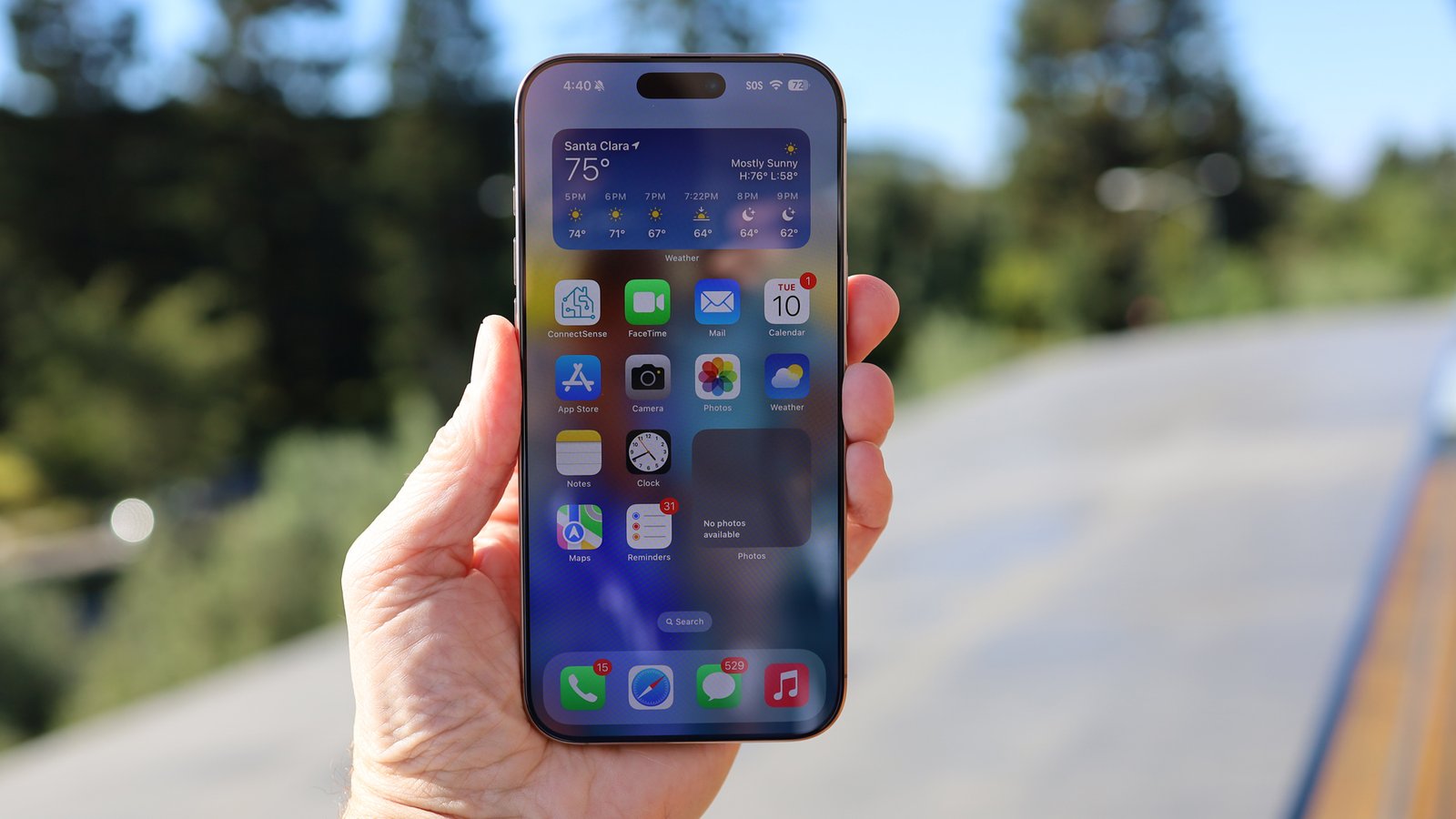
battery life remains one of the biggest frustrations for smartphone users, even as modern iPhones become faster, smarter, and more efficient every year. Apple’s latest chips are incredibly powerful, OLED displays look stunning, and iOS continues to improve energy management yet most people still find themselves searching for a charger before the day ends.
The reality is simple: smartphone battery technology is improving far more slowly than processing power, cameras, and AI features. While companies are racing to add on-device Artificial Intelligence, brighter displays, and desktop-level performance, the physical lithium-ion battery inside most phones still faces the same limitations it did years ago.
That’s why optimizing your iPhone’s battery life is no longer just about squeezing out extra screen time. It’s also about preserving long-term battery health, reducing charging cycles, and making your device last longer before battery degradation becomes noticeable.
Apple already includes several excellent battery-saving tools inside iOS, but most users either ignore them or don’t fully understand how they work. Some settings help extend daily battery life, while others reduce long-term wear on the battery itself.
After years of testing iPhones and experimenting with battery-saving techniques, I’ve narrowed things down to the practical settings and habits that actually make a meaningful difference without making the phone frustrating to use.
These are not extreme “turn everything off” survival tips. Instead, they’re realistic battery optimization strategies that balance performance, convenience, and battery longevity.
Why iPhone Battery Health Matters More Than Ever
Before diving into settings, it’s important to understand how iPhone batteries age.
All modern iPhones use lithium-ion batteries, which naturally degrade over time. Every charge cycle slightly reduces the battery’s maximum capacity. Eventually, this leads to:
- Shorter battery life
- Unexpected shutdowns
- Slower performance
- More heat generation
- Increased charging frequency
Apple measures this decline through the Battery Health feature in iOS, which shows your battery’s maximum capacity compared to when it was new.
Heat, full charging cycles, and constant high-performance usage accelerate battery aging. That means battery optimization is not only about lasting longer during the day it’s also about slowing down permanent wear.
This becomes even more important as smartphone prices continue rising. Most users now keep phones for three to five years instead of upgrading annually.
1. I Avoid Charging to 100% Unless I Actually Need It
One of the biggest misconceptions about smartphones is that charging to 100% is always ideal.
In reality, lithium-ion batteries experience more stress when they remain fully charged for extended periods. Keeping the battery between roughly 20% and 80% is generally considered healthier for long-term battery lifespan.
That’s why I rarely leave my iPhone sitting at 100% unless I know I’ll be away from a charger all day.
Apple has already introduced tools to help with this, especially on newer devices.
How Charging Limits Help Battery Longevity
On supported iPhones, users can now set charging limits that stop charging before reaching 100%. This reduces chemical aging inside the battery.
Benefits include:
- Reduced long-term battery degradation
- Less heat generation while charging
- Fewer full charge cycles
- Better battery health over multiple years
However, charging limits are not perfect for everyone.
Some users have unpredictable schedules and occasionally need maximum battery capacity. That’s why automation can be more flexible than hard limits.
Using Battery Alerts Instead of Hard Limits
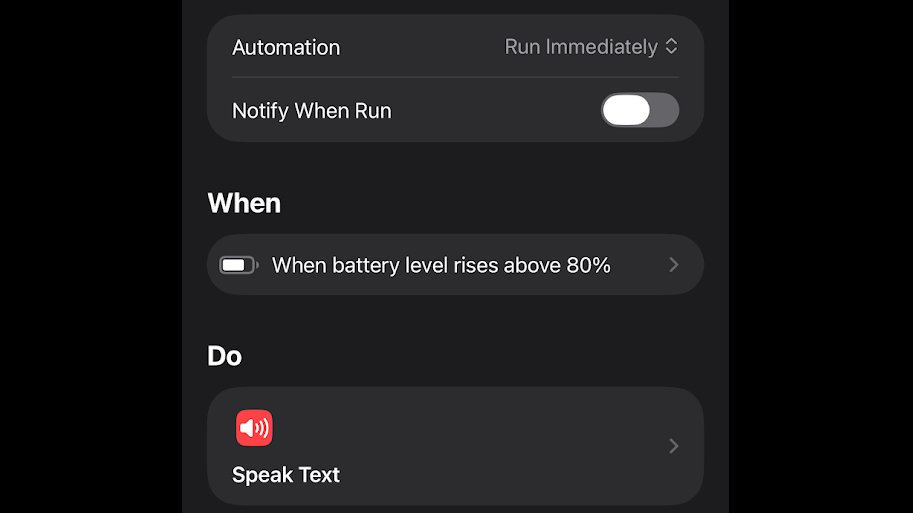
One of the smartest iPhone battery tricks is creating a Shortcut automation that alerts you when the battery reaches 80%.
This approach gives you:
- More flexibility
- Manual control over charging habits
- Better long-term battery preservation
- No need to constantly check the battery percentage
It’s a surprisingly simple automation, but it solves one of the biggest battery-health problems most people unknowingly create.
2. Turning Off Always-On Display Saves More Battery Than People Think
The Always-On Display feature introduced on Pro iPhones looks impressive, but it can quietly drain battery throughout the day.
Even though Apple heavily optimized the feature using low refresh rates, the display still consumes power continuously because parts of the screen remain active.
For users who barely glance at the lock screen widgets or wallpaper, disabling it is an easy battery win.
Why Always-On Display Impacts Battery Life
The feature constantly powers portions of the OLED panel to display:
- Clock information
- Notifications
- Widgets
- Wallpaper elements
- Live Activities
Individually, the drain may appear small. But over weeks and months, it adds up especially for users already struggling to finish the day on a single charge.
Disabling Always-On Display becomes even more useful if:
- You already wear a smartwatch
- Your phone spends most of the day in your pocket
- You prioritize battery life over aesthetics
- You frequently travel
For many people, this setting provides one of the easiest “set it and forget it” battery improvements.
3. Adaptive Power Mode Is One of iOS’s Most Underrated Features
Apple’s newer Adaptive Power Mode represents a major shift in how smartphones manage energy consumption.
Instead of aggressively slowing the phone all the time, Adaptive Power intelligently adjusts performance only when battery usage becomes unusually high.
This creates a much better balance between performance and efficiency.
How Adaptive Power Mode Works
Adaptive Power dynamically adjusts:
- Screen brightness
- Background processing
- Performance spikes
- Certain visual effects
- Task prioritization
The key advantage is that most users barely notice these changes during normal use.
Unlike traditional Low Power Mode, Adaptive Power feels subtle and intelligent rather than restrictive.
It’s essentially Apple allowing the iPhone to make small efficiency decisions automatically instead of forcing users to micromanage battery settings constantly.
Why Adaptive Power Reflects the Future of Smartphones
This feature also signals a broader industry trend.
Modern smartphones are increasingly using machine learning and AI-driven optimization to balance performance and efficiency in real time.
Rather than relying solely on larger batteries, companies are now improving:
- Power allocation
- Thermal efficiency
- Background task scheduling
- Smart refresh rate management
- Behavior-based battery optimization
Adaptive Power is an early example of that transition.
4. Dark Mode Really Can Help OLED iPhones Save Battery
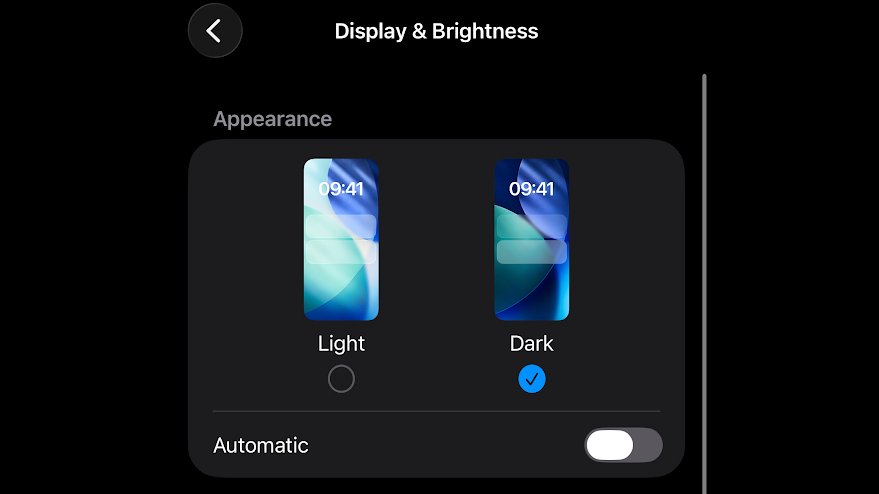
Dark mode is often treated as purely cosmetic, but on OLED iPhones it can genuinely improve battery efficiency.
Unlike LCD displays, OLED screens illuminate individual pixels independently. Black pixels are essentially turned off completely.
That means darker interfaces consume less power.
When Dark Mode Makes the Biggest Difference
The battery savings are most noticeable when:
- Brightness is set high
- You spend long periods reading or browsing
- Apps use true black backgrounds
- You frequently use your phone outdoors
The improvement is not massive during light use, but across months of daily usage it contributes to better efficiency.
Dark mode also has secondary benefits:
- Reduced eye strain in low light
- Less screen glare
- Lower perceived brightness fatigue
- A cleaner OLED appearance
For users who already prefer the darker aesthetic, the battery savings become a free bonus.
| Feature | Battery Impact | Best For |
|---|---|---|
| Dark Mode | Moderate savings | OLED iPhones |
| Always-On Display Off | Noticeable savings | All-day battery users |
| Adaptive Power | Smart efficiency gains | Heavy users |
| 80% Charging Habit | Improves battery health | Long-term ownership |
| Low Power Mode | Major battery extension | Emergency situations |
5. Low Power Mode Is Still the Most Powerful Battery Tool on iPhone
When battery life becomes critical, Low Power Mode remains the single most effective feature in iOS.
It dramatically reduces power consumption by limiting multiple system processes simultaneously.
What Low Power Mode Actually Changes
When enabled, Low Power Mode can reduce:
- Background app refresh
- Screen refresh rates
- Visual animations
- 5G activity
- Automatic downloads
- Mail fetching
- Processing performance
- iCloud syncing frequency
The result is significantly improved battery endurance, especially when the battery level drops below 20%.
However, the trade-off is noticeable.
Your iPhone feels slower, animations become less fluid, and some tasks take longer to complete.
That’s why many experienced users treat Low Power Mode as a situational tool rather than a permanent setting.
When You Should Use Low Power Mode
Low Power Mode is particularly useful during:
- Travel days
- Long commutes
- Outdoor events
- Low-signal situations
- Emergency battery situations
- Heavy camera usage days
Modern iPhones are incredibly powerful, which also means they can consume enormous amounts of energy during intensive tasks like gaming, video editing, GPS navigation, or AI-powered image processing.
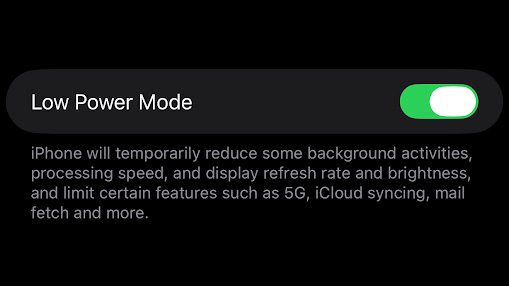
Low Power Mode helps rein that in when battery life matters more than RAW speed.
Additional iPhone Battery Tips Most People Ignore
Beyond the major settings, several smaller habits can collectively improve battery life.
Reduce Extreme Heat Exposure
Heat is one of the biggest enemies of lithium-ion batteries.
Avoid:
- Leaving iPhones inside hot cars
- Charging under pillows or blankets
- Gaming while fast charging
- Direct sunlight exposure for extended periods
Manage Background Apps Carefully
Not every app needs constant background activity.
Social Media, shopping apps, and some location-heavy apps can quietly drain battery throughout the day.
Disabling unnecessary background refresh can improve standby efficiency significantly.
Keep iOS Updated
Apple frequently includes battery optimization improvements in iOS updates. While occasional bugs happen, newer versions often improve efficiency over time.
The Bigger Problem: Smartphone Innovation Is Outpacing Battery Technology
One reason battery anxiety still exists is that smartphone hardware is evolving faster than battery chemistry.
Modern phones now include:
- AI-powered features
- 120Hz displays
- Desktop-class processors
- High-brightness OLED screens
- Always-on connectivity
- Advanced camera systems
All of these features consume significant power.
Meanwhile, battery improvements remain relatively incremental.
Some Android manufacturers are beginning to adopt silicon-carbon battery technology, which can pack larger capacities into the same physical size. However, Apple has not yet introduced this technology in iPhones.
Until major battery breakthroughs arrive, software optimization and smart charging habits remain the most effective solutions.
Conclusion: Small Battery Habits Make a Big Difference Over Time
Improving iPhone battery life is rarely about finding one magical setting.
Instead, it’s about combining smart habits, intelligent software tools, and realistic usage expectations.
Features like Adaptive Power Mode, Low Power Mode, charging limits, and Dark Mode may seem minor individually, but together they can noticeably improve both daily endurance and long-term battery health.
More importantly, they help extend the usable lifespan of increasingly expensive smartphones.
As Apple continues adding more AI features, brighter displays, and advanced processing capabilities to iPhones, battery optimization will only become more important in the years ahead.
For now, the smartest strategy is not necessarily using your iPhone less it’s using it more efficiently.
For breaking news and live news updates, like us on Facebook or follow us on Twitter and Instagram. Read more on Latest Technology on thefoxdaily.com.

COMMENTS 0