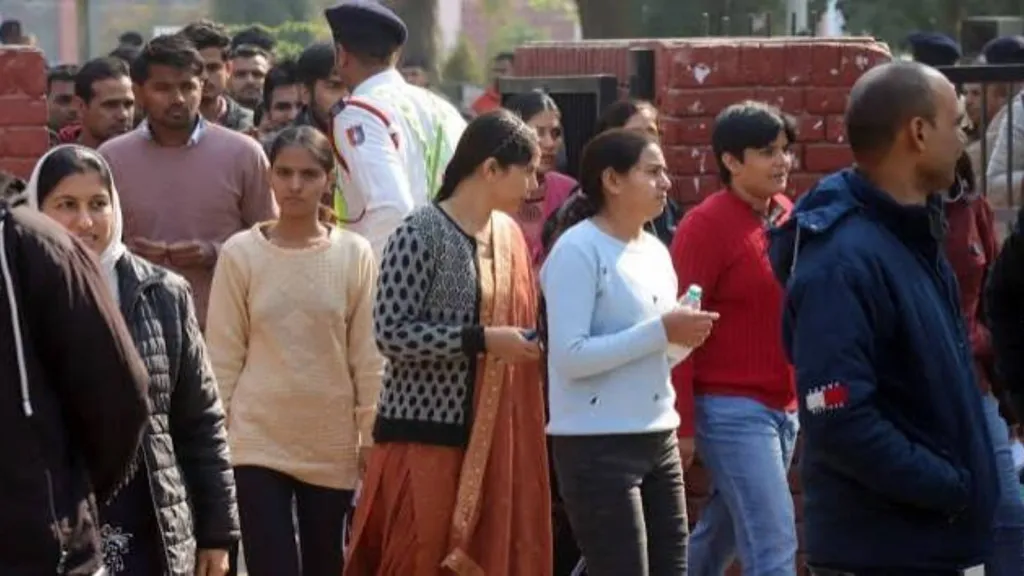
Candidates preparing for the Uttar Pradesh Provincial Civil Services (PCS) Preliminary Examination 2026 are awaiting the release of their admit cards, an essential document required to enter the examination centre. With the preliminary examination scheduled for December 6, 2026, the Uttar Pradesh Public Service Commission (UPPSC) is expected to make the hall tickets available online shortly.
The commission has not issued a confirmed date or time for the Admit Card release. Once the download link is activated, candidates who successfully registered for the examination will be able to access their hall tickets through the official UPPSC website, uppsc.up.nic.in.
The UPPSC PCS prelims will be conducted in offline mode at examination centres across Uttar Pradesh. The preliminary stage will comprise two objective-type papers, each carrying 200 marks and lasting two hours. Candidates should download their admit cards as soon as they become available and check all the details printed on them well before examination day.
UPPSC PCS Admit Card 2026: Official Website and Download Link
The UPPSC PCS Preliminary Examination 2026 admit card will be released through the commission’s official online portal. Candidates should use the website below to check the latest notification and access the hall ticket download facility:
Official UPPSC website: uppsc.up.nic.in
The admit card link is expected to appear on the website after the commission activates the download facility. Candidates should look for the notification or link specifically mentioning the UPPSC PCS Preliminary Examination 2026.
It is advisable to avoid relying on unofficial websites, social media posts or third-party download links. Such sources may circulate outdated information or incorrect instructions. The official UPPSC portal remains the authoritative place to check the release announcement and download the hall ticket.
UPPSC PCS Prelims Admit Card 2026: How to Download
Once the commission releases the hall ticket, registered candidates can download it by following the steps below. The process will require the login information used during the examination application process.
- Step 1: Open the official UPPSC website at uppsc.up.nic.in.
- Step 2: Find the ‘Candidate’s Help Desk’ section on the homepage.
- Step 3: Click on the ‘Download Admit Card’ option.
- Step 4: Look for the active link titled ‘UPPSC PCS Preliminary Examination 2026’ and select it.
- Step 5: Enter the required login details, such as your registration number or One Time Registration (OTR) number and date of birth, as requested on the login page.
- Step 6: Submit the information to view your admit card.
- Step 7: Download the hall ticket and take a clear printout for use on examination day.
Candidates should ensure that the downloaded document is readable and that all pages, including any instructions printed on the hall ticket, are available. Keeping an additional printed copy can also help avoid last-minute problems if the original is misplaced or damaged.
What Details Should Candidates Check on the UPPSC PCS Hall Ticket?
Downloading the admit card is not the final step. Candidates must carefully examine the information printed on it to ensure that their examination details are accurate. An error in a name, photograph, examination centre or other important information could create difficulties during verification at the venue.
After downloading the UPPSC PCS admit card 2026, candidates should check the following details wherever they are mentioned:
- Candidate’s name: Verify the spelling against the details provided in the application form.
- Roll number and registration details: Check that the examination identification numbers are displayed correctly.
- Photograph and signature: Ensure that the photograph and signature are visible and identifiable.
- Examination date: Confirm that the hall ticket mentions December 6, 2026.
- Examination centre: Check the centre name, address and any other location details provided.
- Reporting time: Note the reporting time and any instructions concerning entry to the examination hall.
- Examination instructions: Read the guidelines regarding permitted items, identity verification and examination conduct.
If candidates notice an incorrect name, photograph, date of birth or other discrepancy, they should contact the concerned UPPSC authorities through the official channels as soon as possible. They should not wait until examination day to report an error.
UPPSC PCS Prelims Exam 2026: Date, Pattern and Marks
The UPPSC PCS Preliminary Examination 2026 is scheduled to take place on December 6. The examination will be held offline at designated centres across Uttar Pradesh and will consist of two objective-type papers.
Each paper will carry 200 marks, with a duration of two hours. Candidates should carefully review the examination instructions and the official notification for the applicable paper-wise schedule, reporting requirements and other guidelines.
| Exam detail | Information |
|---|---|
| Exam name | UPPSC Provincial Civil Services Preliminary Examination 2026 |
| Conducting authority | Uttar Pradesh Public Service Commission |
| Prelims exam date | December 6, 2026 |
| Exam mode | Offline |
| Number of papers | Two objective-type papers |
| Marks per paper | 200 |
| Duration per paper | Two hours |
| Admit card website | uppsc.up.nic.in |
| Admit card release date | Not officially announced |
The preliminary examination is the first stage of the UPPSC PCS recruitment process. Candidates who qualify at this stage will become eligible to appear for the mains examination, subject to the commission’s prescribed conditions.
UPPSC PCS Recruitment 2026: Around 500 Vacancies
The recruitment drive is being conducted for approximately 500 vacancies across various Group A and Group B gazetted administrative posts in Uttar Pradesh, according to the information provided for the examination.
These positions form part of the state’s administrative and public-service structure. The PCS examination is a competitive recruitment process through which the commission selects eligible candidates for different government responsibilities.
Since the number of vacancies and recruitment details can be subject to official updates, candidates should refer to the UPPSC notification for the final vacancy distribution, post-wise requirements and eligibility conditions.
UPPSC PCS Selection Process 2026: Three Stages Explained
The UPPSC PCS recruitment process consists of three stages: preliminary examination, mains examination and interview. Candidates must progress through the prescribed stages to be considered for final selection.
1. Preliminary Examination
The preliminary examination is the screening stage of the recruitment process. It consists of two objective-type papers, each carrying 200 marks and lasting two hours. Candidates must appear for the examination at the centre assigned by the commission.
Performance in the prelims determines eligibility for the next stage, in accordance with the commission’s rules. Clearing the preliminary examination does not by itself guarantee final selection or appointment.
2. Mains Examination
Candidates who qualify in the preliminary examination are eligible to appear for the mains examination. This stage assesses candidates in greater depth through the papers prescribed by UPPSC.
The mains examination plays an important role in evaluating subject knowledge, analytical ability and written expression. Candidates should consult the official examination scheme and syllabus to understand the papers, marks and qualifying requirements.
3. Interview
The interview is the final stage of the selection process. It allows the commission to assess candidates beyond their written examination performance, including their suitability for administrative responsibilities, communication skills, judgement and understanding of public issues.
Final selection is made according to the commission’s prescribed recruitment rules and the performance of candidates in the applicable stages.
Documents Required on UPPSC PCS Prelims Exam Day
Every candidate appearing for the preliminary examination must carry a printed copy of the admit card along with a valid photo identity document. The admit card serves as proof of examination registration and contains important information needed for entry and verification.
Candidates should keep their documents ready before leaving for the examination centre. The name and other identifying details on the photo ID should match the information provided during registration, wherever applicable.
Commonly used government-issued photo identity documents include:
- Aadhaar card
- Voter ID card
- Passport
- Driving licence
- Other photo identity documents accepted under the commission’s examination instructions
The list above is indicative. Candidates must follow the identity-document requirements specified in the official UPPSC instructions and on their admit cards rather than assuming that every document will automatically be accepted.
Important Instructions for Candidates Before December 6
With the examination date approaching, candidates should complete their admit card and travel arrangements in advance. Last-minute problems involving login details, incorrect information or difficulty locating the examination centre can create unnecessary stress.
- Download early: Do not wait until the final day to access the admit card once the link becomes active.
- Check the examination centre: Confirm the complete address and plan the route before travelling.
- Read the instructions: Follow all reporting-time, security-check and prohibited-item guidelines printed on the hall ticket.
- Carry a printed copy: Keep the physical admit card ready instead of depending only on a digital copy on a mobile phone.
- Keep a valid photo ID: Carry an identity document accepted by the commission.
- Protect login details: Keep the registration or OTR number and date of birth accessible for downloading the hall ticket.
- Monitor official updates: Check the UPPSC website for any changes to the examination schedule or instructions.
What If You Cannot Download the UPPSC PCS Admit Card 2026?
Some candidates may face problems while accessing the admit card, particularly if the website experiences heavy traffic after the download link is activated. Others may encounter login errors because of incorrect registration details or technical issues.
If the hall ticket does not appear after submitting the required information, candidates should first check whether the registration number or OTR number and date of birth have been entered correctly. They should also ensure that they are using the official admit card link for the 2026 preliminary examination.
If the problem continues, candidates can try accessing the portal again after some time or use another browser or device. They should avoid sharing their personal login information with unauthorised websites or individuals offering to download the admit card on their behalf.
For persistent problems, candidates should contact the UPPSC help desk or the concerned commission authorities through the contact details available on the official website. Any discrepancy in the admit card should be reported promptly so that there is sufficient time for clarification or correction before December 6.
UPPSC PCS Prelims Admit Card 2026: Key Points to Remember
The UPPSC PCS Preliminary Examination 2026 is scheduled for December 6, while the admit card release date is still awaited. Registered candidates should regularly check the official portal for the download link and follow the commission’s instructions.
The most important points are that the examination will be conducted offline, both objective-type papers will carry 200 marks each, and candidates must bring a printed admit card and valid photo ID to the examination centre.
With around 500 vacancies announced for various Group A and Group B gazetted posts, the examination is an important opportunity for candidates seeking administrative careers in Uttar Pradesh. Downloading the hall ticket early, checking its details and understanding the examination-day requirements can help candidates avoid preventable difficulties.
For breaking news and live news updates, like us on Facebook or follow us on Twitter and Instagram. Read more on Latest Education on thefoxdaily.com.






COMMENTS 0