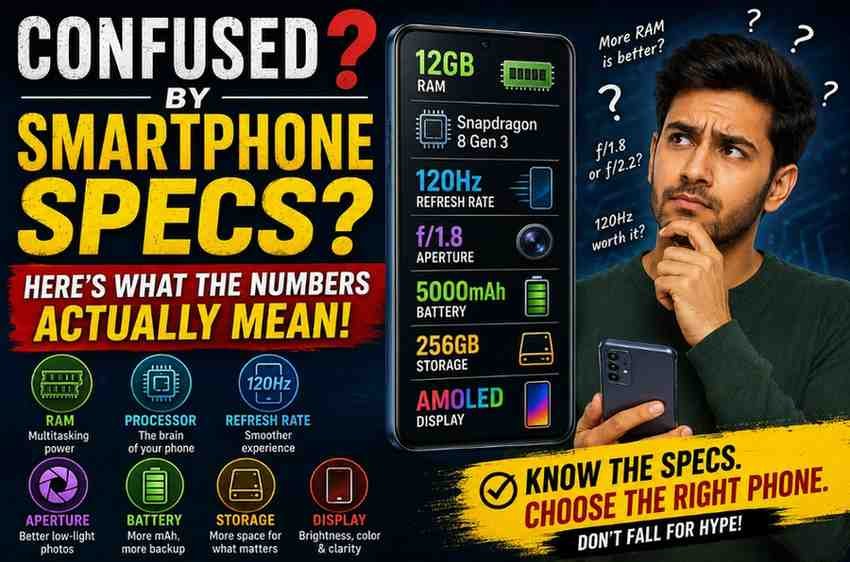
Every time a new smartphone launches, the spec sheet reads like a foreign language: 12GB RAM, 120Hz AMOLED, f/1.8 aperture, 5000mAh battery, Snapdragon 8 Gen 4. The numbers keep climbing every year, but bigger doesn’t always mean better for how you actually use your phone. This guide breaks down exactly what each major spec means, what actually matters for everyday use, and which numbers are mostly marketing.
Processor (Chipset): The Brain of the Phone
The processor, or chipset, determines how fast your phone handles everything from opening apps to gaming and AI features. Brands like Qualcomm (Snapdragon), MediaTek (Dimensity), and apple (A-series/M-series) release new chips yearly, each with a naming convention that gets confusing fast.
- What the model number tells you: A higher generation number (e.g., Snapdragon 8 Gen 4 vs Gen 3) generally means better performance and efficiency, but the “Elite,” “Plus,” or “Pro” suffixes indicate tiers within the same generation.
- What actually matters: For most users, any flagship or upper-mid-range chip released in the last two years handles everyday tasks, social Media, and streaming without a hitch. The performance gap only becomes noticeable in heavy gaming or video editing.
- The nanometer (nm) number: A smaller number (e.g., 3nm vs 4nm) usually means better power efficiency and less heat, which translates to better battery life, not necessarily RAW speed.
RAM: Multitasking Memory, Not Storage
RAM (Random Access Memory) is temporary memory the phone uses to run apps smoothly. It is completely separate from storage, which holds your photos, videos, and files permanently.
- 6-8GB: Comfortable for everyday use calls, browsing, social media, and light gaming.
- 12GB and above: Useful for heavy multitaskers, gamers who keep several apps running, or anyone using AI features that rely on on-device processing.
- Virtual RAM: Many brands now offer “extended RAM” that borrows space from storage. This helps marginally but is not a substitute for physical RAM, and it can slightly reduce available storage.
Display: Refresh Rate, Resolution, and Panel Type
The display spec sheet usually lists three separate numbers that people often confuse with each other.
Refresh Rate (Hz)
This measures how many times per second the screen redraws itself. A 60Hz display is standard; 90Hz and 120Hz displays feel noticeably smoother when scrolling or gaming. Beyond 120Hz, most people cannot perceive a difference in daily use, though it helps marginally in competitive gaming.
Resolution
Resolution describes the number of pixels on the screen (e.g., 1080×2400 for Full HD+, 1440×3200 for Quad HD+). Higher resolution means sharper text and images, but on a 6-6.5 inch screen viewed at arm’s length, the difference between Full HD+ and Quad HD+ is subtle for most people, while the higher resolution does drain battery faster.
Panel Type
AMOLED and OLED panels offer true blacks, better contrast, and lower power consumption when displaying dark content, compared to older LCD panels. Most phones above the entry-level segment now use AMOLED or a close variant.
| Spec | What to look for | Diminishing returns after |
|---|---|---|
| RAM | 8GB for daily use, 12GB for heavy multitasking | 16GB for most users |
| Refresh Rate | 90Hz or 120Hz for smooth scrolling | 144Hz |
| Resolution | Full HD+ (1080p) is sufficient on most screens | Quad HD+ (1440p) |
| Battery | 4500mAh+ for a full day of moderate use | Charging speed matters more past 5000mAh |
Camera: Megapixels Are Not the Full Story
Camera marketing leans heavily on megapixel counts, but megapixels only measure resolution, not image quality. Two other numbers matter more:
- Aperture (f-number): A lower f-number (like f/1.8) means a wider opening that lets in more light, which helps in low-light photography and creates background blur. A higher f-number (f/2.4) lets in less light.
- Sensor size: A physically larger sensor captures more light and detail than a smaller one, even at the same megapixel count. This is why a 50MP camera with a large sensor often outperforms a 108MP camera with a small sensor.
- OIS (Optical Image Stabilization): This physically stabilizes the lens to reduce blur from hand shake, especially useful in low light and video recording.
Battery: mAh Is Only Half the Picture
Battery capacity is measured in mAh (milliamp-hours), but the number alone doesn’t tell you how long the battery will last, because that also depends on the chipset’s power efficiency and the display’s power draw. A 4500mAh battery paired with an efficient chipset can outlast a 5500mAh battery paired with a power-hungry one.
Charging speed (measured in Watts) determines how quickly the battery refills. A 65W charger can typically take a phone from 0-100% in under 45 minutes, while a 15W charger can take over two hours.
Storage and UFS Version
Storage capacity (128GB, 256GB, 512GB) determines how many apps, photos, and videos you can keep on the device. Equally important but often overlooked is the storage type, listed as UFS 3.1, UFS 4.0, and so on. A higher UFS version means faster read/write speeds, which affects how quickly apps open and files transfer, independent of total capacity.
Bottom Line: What to Prioritize Based on How You Use Your Phone
- Everyday users: Prioritize battery life, a smooth 90Hz+ display, and a recent-generation mid-range chipset. Skip paying extra for RAM above 8GB or resolution above Full HD+.
- Photography enthusiasts: Prioritize aperture, sensor size, and OIS over raw megapixel count.
- Gamers: Prioritize chipset generation, RAM (12GB+), and a higher refresh rate display.
- Long-term users: Prioritize UFS version and software update commitment from the brand, since these affect how well the phone performs years down the line.
For breaking news and live news updates, like us on Facebook or follow us on Twitter and Instagram. Read more on Latest Reviews on thefoxdaily.com.





COMMENTS 0