Meetings involving multiple languages can make accurate note-taking challenging, especially when participants switch between Hindi and English during conversations. Whether it is a business discussion, an employee feedback session, a client interview or an online lecture, capturing every important point manually can take time and distract participants from the discussion. This is where AI meeting note-taking apps for Hindi and English transcription can make a difference.
AI-powered meeting assistants can record conversations, convert speech into searchable text, identify important discussion points and generate summaries with action items. Some platforms also support automatic language detection, making them useful for meetings where participants switch between Hindi and English. Integrations with services such as Zoom, Google Meet and Microsoft Teams further simplify the process.
However, not every AI transcription tool offers the same language support, recording features or pricing. Some are designed for multilingual conversations, while others focus primarily on English transcription and workplace productivity. Here are five AI meeting note-taking apps worth considering if you regularly work with Hindi and English conversations.
1. Fireflies.ai: Best for Multilingual Meeting Transcription
Fireflies.ai is an AI-powered meeting assistant that records, transcribes, summarises and analyses conversations. Available on Android, iOS and the web, it is designed for professionals and teams who want to manage meeting information without spending time writing notes manually.
One of its biggest advantages is its multilingual transcription support. Fireflies.ai supports Hindi and more than 100 other languages, making it a useful option for organisations where employees, clients and partners communicate in different languages. Its automatic language detection can also help when meetings involve participants speaking more than one language, although users should verify how well their particular Hindi-English speaking patterns are handled.
The platform includes an AI assistant called Fred, which helps users search through previous meeting discussions and retrieve relevant information. Instead of listening to an entire recording again, users can ask questions about past conversations, find important decisions and review specific discussion points.
Fireflies.ai also works with popular video conferencing platforms, including:
- Zoom
- Google Meet
- Microsoft Teams
- Webex
Beyond meeting platforms, it offers integrations with Slack, email services and customer relationship management (CRM) tools. This makes it useful for sales teams, project managers and businesses that need to connect meeting outcomes with their existing workflows.
Its free plan includes 400 minutes of storage per team and 20 AI credits, according to the supplied pricing details. Paid plans start at approximately $10 per user per month, although the available features and billing conditions can vary by subscription.
Who should use it? Fireflies.ai is worth considering for businesses that regularly conduct multilingual meetings and want searchable transcripts, automated summaries and integrations with workplace applications.
2. Notta: Best for Hindi and English Transcription with Translation
Notta is another AI meeting note-taking platform designed to convert conversations into written records. It supports Hindi and English transcription and can be used for business meetings, interviews, discussions and recorded audio.
One of its useful features is its ability to turn lengthy conversations into organised summaries. Rather than reviewing an entire transcript, users can access the main discussion points and AI-generated action plans. This can help teams identify decisions, responsibilities and follow-up tasks after a meeting.
Notta also offers translation capabilities, which can be particularly helpful for people working with conversations involving different languages. For example, a team may transcribe a discussion in one language and use translation features to make the information easier for colleagues who prefer another language.
The platform supports multiple recording sources, including online meetings, uploaded audio files and existing recordings. This gives users flexibility when they need to transcribe conversations that were not captured through a live meeting integration.
According to the supplied plan details, Notta’s free subscription includes:
- 120 transcription minutes per month.
- Up to three minutes per conversation.
- 50 file uploads per month.
- 10 AI-generated summaries per month.
Paid subscriptions reportedly start at approximately $8.17 per month, depending on the billing arrangement and plan selected.
Who should use it? Notta is a suitable option for individuals, students, journalists and professionals who need to transcribe meetings, interviews and recorded conversations in Hindi and English. Its translation and summary features can also help users work with multilingual material.
3. Fathom: Best for Automated Meeting Summaries and Action Items
Fathom is an AI meeting assistant that focuses on recording, transcribing and summarising online conversations. It is designed to reduce the amount of manual work required after meetings by automatically capturing discussions and highlighting important information.
The platform supports Zoom, Google Meet and Microsoft Teams. Users can access meeting transcripts and AI-generated summaries, making it easier to review conversations without replaying entire recordings.
One of Fathom’s main strengths is its ability to identify important discussion points and action items. This can be particularly useful for teams that regularly conduct client meetings, sales calls, project discussions and internal planning sessions.
Fathom also offers features for workplace collaboration. Teams can use its AI-powered capabilities for CRM updates and share relevant meeting information with colleagues. This helps reduce the time spent transferring information from meeting notes into other business applications.
The platform provides a free plan for individual users with meeting recording and transcription capabilities. Its paid plans reportedly start at approximately $15 per month and include features such as unlimited captured meetings, instant AI summaries, shared workspaces and AI-generated action items after calls.
Paid offerings also include team security controls and HIPAA compliance with a standard Business Associate Agreement (BAA), according to the supplied information. Availability may depend on the specific subscription and configuration.
One important consideration for Hindi-English users is language compatibility. Fathom’s availability of recording and summary features does not automatically mean it offers the same transcription quality for every language. Users should confirm its current Hindi transcription capabilities and test mixed-language conversations before choosing it as their primary tool.
Who should use it? Fathom is worth considering for individuals and teams that primarily conduct online meetings and want automated summaries, searchable transcripts and organised follow-up tasks.
4. tl;dv: Best for Searchable Meeting Records and Team Collaboration
tl;dv, short for “too long; didn’t view”, is an AI meeting assistant designed to make online meetings easier to record, review and share. Instead of requiring users to revisit lengthy recordings, the platform provides searchable transcripts, meeting summaries and important discussion highlights.
One of its key features is multilingual transcription support. The platform supports more than 30 transcription languages, making it an option for teams that work across different regions and language groups. However, users who specifically need Hindi-English code-switching should check the current supported-language list and test transcription accuracy with real conversations.
tl;dv works with three major video conferencing platforms:
- Google Meet
- Zoom
- Microsoft Teams
The platform also provides searchable meeting transcripts, helping users find specific topics or discussion points without listening to complete recordings. This can be useful when employees need to revisit decisions, review client feedback or prepare for follow-up meetings.
Its paid features are aimed at teams that want more control over their meeting documentation and collaboration processes. These include custom AI note templates, AI action-item assignment, email follow-up drafting and integrations with more than 5,000 applications, according to the supplied details.
tl;dv offers a free basic plan, while its paid option reportedly starts at approximately Rs 1,715 per seat per month in India. Pricing can change depending on the subscription, billing cycle and available offers.
Who should use it? tl;dv is a useful option for businesses and distributed teams that conduct frequent online meetings and need searchable records, automated notes and integrations with other workplace tools.
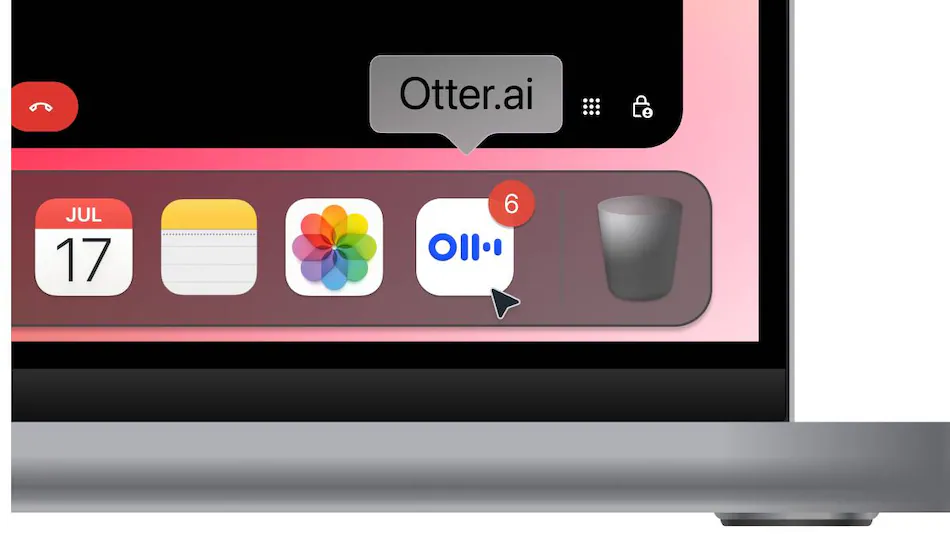
5. Otter.ai: Best for English-Language Meeting Transcription
Otter.ai is an AI meeting assistant primarily focused on English-language transcription. It converts spoken conversations into text in real time and provides features such as speaker identification, searchable transcripts and automated meeting summaries.
During meetings, Otter.ai can capture discussions and organise the resulting transcript so users can review important information later. Its speaker identification feature helps distinguish between different participants, making longer conversations easier to follow.
The platform also includes Otter AI Chat, which allows users to search across previous meetings and connected applications. Instead of manually searching through multiple transcripts, users can ask questions about earlier discussions and retrieve relevant information.
This can be helpful when preparing reports, writing follow-up messages or checking what was agreed during an earlier meeting. Users can also review action items and important points without having to listen to the complete recording.
Otter.ai offers a free Basic plan, while paid subscriptions reportedly start at approximately $4 per month under the pricing information provided. The listed paid features include:
- Up to 1,200 monthly in-app recording minutes.
- Advanced AI workflows.
- 10 monthly audio and video file imports.
- Support for imports of up to 90 minutes per meeting.
- Integrations with Salesforce, HubSpot and Zapier.
- Advanced meeting templates and search features.
- Unlimited storage, export and playback features under the applicable plan.
However, Otter.ai is not the strongest choice for users who specifically need Hindi transcription. Its primary focus is English, so people who regularly switch between Hindi and English should consider a multilingual alternative and verify language support before subscribing.
Who should use it? Otter.ai is best suited to individuals and teams whose meetings are primarily conducted in English and who want real-time transcription, speaker identification and AI-powered meeting search.
Best AI Meeting Note-Taking Apps: Quick Comparison
Choosing the right AI meeting assistant depends on the languages you use, the number of meetings you attend and the features you need. The following table provides a quick overview of the five platforms covered in this guide.
| App | Language Support | Key Features | Free Plan | Starting Paid Price (Approx.) |
|---|---|---|---|---|
| Fireflies.ai | Hindi and 100+ languages | Transcription, summaries, Fred AI assistant, integrations | Yes | $10/month |
| Notta | Hindi and English | Transcription, translation, summaries, action plans | Yes | $8.17/month |
| Fathom | Check current Hindi support | Meeting recordings, summaries, action items, CRM updates | Yes | $15/month |
| tl;dv | 30+ transcription languages | Searchable transcripts, AI notes, integrations | Yes | Rs 1,715/seat/month |
| Otter.ai | Primarily English | Real-time transcription, speaker identification, Otter AI Chat | Yes | $4/month |
Note: Prices are approximate figures based on the supplied information and may vary by region, billing cycle, subscription tier and promotional offers. Language support and feature availability can also change. Check each provider’s current plan details before purchasing.
How to Choose the Right AI Meeting Note-Taking App
Before subscribing to an AI meeting assistant, consider how you actually use meeting transcripts. A tool that works well for English-only business calls may not perform equally well when participants frequently switch between Hindi and English.
1. Check Hindi-English Code-Switching Accuracy
Language support is not the same as accurate mixed-language transcription. Some tools can recognise Hindi and English separately but may struggle when speakers switch between them within the same sentence. Test each platform using a short recording that reflects your actual meeting style.
2. Compare Free and Paid Limits
Free plans can be useful for occasional meetings, but transcription minutes, file uploads, AI summaries and storage may be limited. If you attend several meetings every day, compare the monthly limits before choosing a subscription.
3. Look for Useful Meeting Integrations
Check whether the app works with your preferred video conferencing platform. Support for Zoom, Google Meet and Microsoft Teams can make recording and transcription more convenient. Integrations with CRM tools, Slack and email services may also be valuable for business users.
4. Review Privacy and Recording Permissions
Meeting recordings can contain confidential business information, personal details and sensitive discussions. Before using an AI note-taking app, review its data retention, storage, access controls and privacy policies. Make sure participants are informed about recording and that your organisation’s policies and applicable laws are followed.
5. Check Export and Sharing Options
Searchable transcripts are useful, but the ability to export notes and share summaries can make a bigger difference to daily productivity. Look for tools that allow you to save important discussions, distribute meeting summaries and transfer action items into your existing workflow.
Frequently Asked Questions (FAQs)
1. Which is the best AI meeting note-taking app for Hindi and English transcription?
Fireflies.ai and Notta are two options worth considering because both support Hindi and English transcription. Fireflies.ai offers broader multilingual support and workplace integrations, while Notta provides transcription, translation and AI-generated summaries. The best choice depends on your meeting style and transcription accuracy requirements.
2. Can AI meeting apps automatically detect Hindi and English?
Some AI meeting assistants, including Fireflies.ai, offer automatic language detection. However, automatic detection does not guarantee perfect transcription when speakers frequently switch between Hindi and English. Testing a real meeting recording is recommended.
3. Is Fireflies.ai free to use?
Yes. Fireflies.ai offers a free plan with limited storage and AI credits. Paid subscriptions provide additional capabilities, although the exact limits and pricing depend on the selected plan.
4. Can Notta transcribe Hindi meetings?
Yes. Notta supports Hindi transcription and can convert meetings, interviews and recorded conversations into text. It also provides AI-generated summaries and translation capabilities.
5. Which AI meeting assistant is best for English transcription?
Otter.ai is a strong option for English-language meetings. It offers real-time speech-to-text conversion, speaker identification, searchable transcripts and automated summaries.
6. Do AI meeting note-taking apps work with Google Meet and Zoom?
Several tools in this list support popular video conferencing platforms. Fireflies.ai, Fathom and tl;dv work with Google Meet and Zoom, while other platforms also provide options for uploading recorded audio or video files.
7. Can AI meeting apps generate action items automatically?
Yes. Several AI meeting assistants can identify important discussion points and generate action items from conversations. Notta, Fathom and tl;dv offer features designed to help users organise follow-up tasks and meeting outcomes.
8. Are AI meeting note-taking apps safe for confidential business meetings?
Security depends on the provider’s privacy policies, data handling practices, storage options and access controls. Businesses should review these details, obtain necessary participant consent and follow internal data protection policies before recording confidential meetings.
Final Verdict
AI meeting note-taking apps can make multilingual workplaces more productive by reducing manual note-taking and making discussions easier to review. For Hindi and English transcription, Fireflies.ai and Notta are the two options to examine first. Fireflies.ai stands out for its broad language support and workplace integrations, while Notta offers a useful combination of transcription, translation and AI summaries.
Fathom and tl;dv are worth considering for teams that prioritise meeting summaries, searchable transcripts and collaboration features. Otter.ai is a better fit for users whose conversations are primarily in English.
Ultimately, the right app depends on transcription accuracy, language support, privacy requirements and subscription limits. Before paying for a plan, test the free version with an actual Hindi-English conversation. That is the most practical way to determine whether an AI meeting assistant can reliably capture the discussions that matter to you.
For breaking news and live news updates, like us on Facebook or follow us on Twitter and Instagram. Read more on Latest Technology on thefoxdaily.com.





COMMENTS 0