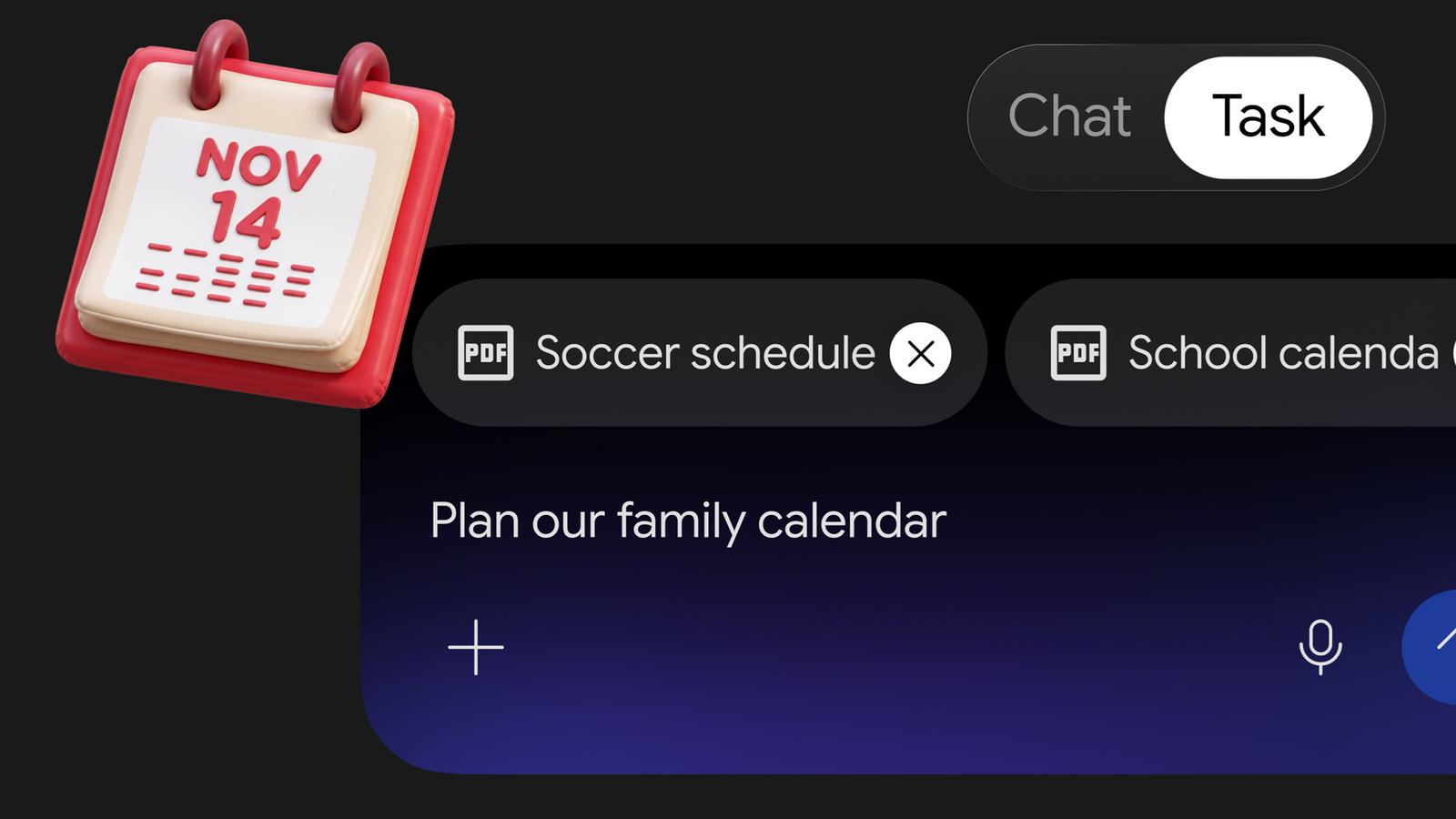
Google is making its AI agent more accessible by expanding free access to Gemini Tasks, the feature previously known as Spark. Unlike a conventional chatbot that mainly answers questions and recommends what to do next, Tasks can navigate websites, interact with connected services and work through multi-step jobs on a user’s behalf. That could make everyday chores such as booking appointments, comparing products, processing returns and tracking deliveries considerably less time-consuming.
The change matters because it moves Gemini beyond simply providing information. Instead of asking an AI assistant how to find a nearby garage or return an online purchase, users can ask it to carry out much of the process themselves. The agent can search for relevant information, move between websites and connected apps, and prepare actions for the user to review.
Google has begun making Gemini Tasks available to free users in six countries, including the United States, Canada and Australia. Availability is not yet universal, so people in countries such as the UK may need to wait for the free rollout or check whether their existing paid Gemini subscription includes access.
Users in supported regions can try the feature by switching from Chat to Task in a Gemini conversation. They can then describe the job they want completed and grant the permissions required for the agent to work with relevant services. Gemini can request confirmation before taking actions that need user approval, such as submitting information to an external website or completing a transaction.
What Is Gemini Tasks and How Is It Different from Regular Gemini?
Gemini Tasks is Google’s agentic AI experience, designed to complete tasks rather than simply respond to prompts. A standard chatbot conversation might produce a list of recommended restaurants, explain a retailer’s return policy or compare the specifications of two chargers. Tasks can take the next step by visiting websites, checking availability and navigating the processes needed to complete the job.
The distinction is important. Traditional AI assistance generally leaves the user responsible for turning advice into action. An agent can handle parts of that work itself, potentially moving through several websites and services during a single request.
For example, someone looking for a car maintenance appointment could ask Gemini to find nearby service centres, compare their suitability and identify an available time. Someone returning an online purchase could ask it to locate the order in Gmail, check the retailer’s return policy and prepare the relevant form.
However, agentic capabilities do not mean that every action should happen without supervision. Websites can change, information may be incomplete and automated agents can misunderstand instructions. Users should review important details carefully, particularly before making payments, submitting personal information or confirming bookings.
1. Book Car Maintenance Without Making Multiple Calls
Arranging routine car maintenance is a practical example of where an AI agent could save time. An oil change and tyre rotation may sound like straightforward jobs, but finding a service centre that can handle both during the same appointment can involve comparing locations, checking reviews and working around a busy calendar.
In one test, Gemini Tasks was asked to find a nearby service centre that could perform both jobs during a single visit. The agent also needed to identify a suitable appointment time based on the user’s schedule.
Rather than returning a generic list of garages, Gemini identified two possible locations. It highlighted one as a more convenient choice because customer reviews mentioned that the business could complete the required work in one visit. It then suggested appointment times that appeared to fit the user’s calendar.
After receiving approval, the agent handled the reservation. In some situations, Tasks may also be able to call businesses to arrange appointments, depending on the available capabilities and permissions.
Why This Is Useful
The biggest advantage is that the user does not have to coordinate every step manually. Finding a garage, comparing customer feedback, checking the calendar and arranging an appointment can involve several separate actions. Tasks brings those steps together into one request.
It could be particularly useful for routine maintenance that people often postpone because arranging it feels inconvenient. However, users should still confirm the type of service, quoted price, appointment time and any additional charges directly before relying on the booking.
2. Compare Products and Find Better Shopping Deals
Online shopping is another area where Gemini Tasks could prove useful. Product searches often involve more than finding the cheapest item. Buyers need to compare technical specifications, check compatibility, evaluate brands and determine whether a discount represents genuine value.
In the reported test, Gemini was asked to find charging cables and a charger capable of powering a laptop and phone simultaneously. The request included an important condition: the recommended product needed to support both devices rather than simply being a cheaper single-port alternative.
That distinction matters because a low price does not automatically make a product suitable. A charger with insufficient power output or the wrong port configuration could fail to meet the buyer’s requirements, even if it appears attractive in search results.
Gemini returned two suitable options. More importantly, Tasks could continue beyond comparing specifications. It could visit retailer websites, investigate current offers, look for better prices and prepare the purchase process.
Can Gemini Complete an Online Purchase?
Tasks can potentially navigate retailer websites and work through checkout steps, but users should expect to review and approve important actions. A product recommendation is not the same as a confirmed purchase, and the agent should not be treated as an automatic payment system.
Before approving an order, check the exact product model, compatibility, delivery charges, seller reputation, return conditions and final price. This is especially important when buying electronics, where similar-looking products can have significantly different specifications.
The benefit is that Gemini may reduce the time spent jumping between retailer pages. Instead of repeatedly searching for the same product and comparing offers manually, users can give the agent their requirements and review the options it finds.
3. Start an Online Return Without Searching Through Every Email
Returning an online purchase can be surprisingly frustrating. Customers may need to find the original order confirmation, identify the retailer’s return window, locate the correct order page and complete a form before a refund can be processed.
Gemini Tasks can connect several of those steps. In the test, the agent was asked to help return a recently purchased sweater. It searched the user’s Gmail account, located the relevant purchase information and checked whether the item appeared to remain eligible for a refund.
It then visited the retailer’s website to examine the return policy. In this particular case, the retailer’s policy offered a refund to the original payment card. Gemini prepared the return form and stopped before submitting it, giving the user the opportunity to review the details and decide whether to proceed.
Why Tasks Could Make Returns Easier
A regular Gemini conversation could help locate an order email or explain a retailer’s refund policy. Tasks goes further by connecting that information with the retailer’s website and the actual return process.
This is useful because the information needed to complete a return is often scattered across different places. The purchase confirmation may be in an inbox, the policy on a retailer’s help page and the return form inside an account dashboard.
However, users should check the product, order number, return reason, refund method and any shipping instructions before approving a submission. The agent may prepare the paperwork, but customers may still need to package the item and take it to a collection point or post office.
4. Find Restaurants and Arrange Dinner Reservations
Choosing somewhere to eat can involve several decisions beyond finding a highly rated restaurant. Customers may have dietary preferences, seating requirements, distance limits and a specific time in mind. A restaurant that looks ideal on a review page is not particularly useful if it has no suitable tables available.
Gemini Tasks was tested with a request to find a nearby restaurant with comfortable seating and vegetarian options, then arrange a reservation for Saturday at around 7pm.
The important part of the experiment was whether the agent could continue searching if its first choice did not have an appropriate booking time. This is where an agentic system can offer more than a conventional recommendation. It can navigate booking pages and work through availability rather than simply listing restaurants that match a search query.
In the reported test, the process took around 10 minutes. The user ended up with a reservation and several additional reservations for the following month.
What to Check Before Confirming a Table
Restaurant bookings can involve details that are easy to overlook. Users should verify the date, local time, number of guests, seating preferences and any dietary requirements before confirming a reservation.
It is also worth checking cancellation policies and whether the restaurant requires a deposit or card details. A booking agent can reduce the amount of manual navigation, but the final reservation still needs to match the user’s actual plans.
For people who regularly organise meals with friends or family, this could be one of the more convenient everyday applications of Gemini Tasks.
5. Track Delayed Packages Across Different Delivery Services
Package tracking is a simple task, but it can become tedious when several orders are arriving through different delivery companies. A shipping confirmation may contain a tracking number and an estimated delivery date, but that information can quickly become outdated as a parcel moves through the delivery network.
For the final experiment, Gemini Tasks was asked to search shipping confirmations from the previous two weeks, identify expected delivery dates and flag packages that appeared to be delayed.
A standard Gemini search could already find tracking numbers in connected Gmail messages and summarise the information contained in those emails. Tasks went further by opening carrier websites and checking the latest shipment status for each package.
The two parcels in the test were handled by different delivery services. One was marked as out for delivery, while the other had remained at the status “Shipping Label Created” for several days.
Gemini identified the difference and suggested contacting the retailer about the package that appeared to be stuck. It also drafted an email for the user to review and approve. The initial process of getting the message ready took approximately four minutes.
Why Live Tracking Information Matters
Shipping confirmation emails are useful when an order first leaves a retailer, but they do not necessarily reflect its current location. Checking the carrier’s tracking page provides a more recent picture of the delivery process.
Tasks could make this routine easier by checking multiple tracking pages, organising the results and highlighting shipments that may need attention. Users should still verify unusual tracking statuses with the carrier or retailer before assuming a package is lost.
This is not a glamorous use of AI, but it may be one of the most practical. Most people already know how to track a parcel. The real convenience is having an agent check several deliveries and report only the ones that need attention.
What Gemini Tasks Can and Cannot Do for You
The five examples demonstrate why agentic AI is different from a conventional chatbot. Tasks is not necessarily providing information that users could not find themselves. Its value comes from handling the repetitive navigation and coordination that often sit between identifying a problem and resolving it.
It can potentially connect information from email, calendars and websites, compare options, prepare forms, navigate booking systems and organise results. That makes it useful for jobs involving several steps or services.
However, the technology has limitations. A website may change its layout, a booking system may reject an action, a product listing may contain inaccurate information or a delivery status may not be updated correctly. An agent can also misunderstand an instruction if the request is vague.
There are also privacy and security considerations. Connecting Gemini to email, calendars and other services gives it access to information needed to complete requested jobs. Users should understand the permissions they grant and avoid approving actions without checking what information will be shared.
Why Human Approval Still Matters
Automating a search is relatively low risk. Making a purchase, confirming a restaurant reservation or submitting a return request has more direct consequences. An incorrect recommendation can waste time, but an incorrect transaction or booking can create financial or practical problems.
Google’s approval steps are therefore an important part of the experience. Users can monitor the agent, intervene when necessary and review actions that require confirmation. That does not eliminate the possibility of mistakes, but it gives people an opportunity to catch problems before important actions are completed.
How to Try Gemini Tasks
If Gemini Tasks is available in your country and on your account, getting started involves a few basic steps:
- Open Gemini: Launch the Gemini app or access the service through a supported browser.
- Choose Task mode: Switch from the standard Chat experience to Task in the conversation interface.
- Describe the job: Explain what you want Gemini to accomplish, including relevant requirements such as dates, budgets, locations or product specifications.
- Grant necessary permissions: Allow access to the connected services required for the task, such as Gmail or Calendar, where available.
- Monitor the process: Review the agent’s progress and intervene if it misunderstands an instruction or selects an unsuitable option.
- Approve important actions: Check the details before allowing Gemini to submit forms, make bookings or complete other actions requiring confirmation.
Specific capabilities and available integrations may vary by country, account type, device and rollout status. If Task mode is missing, the feature may not yet be available to your account.
Gemini Tasks Could Make Everyday AI More Useful
Google’s expansion of Gemini Tasks points towards a more practical direction for consumer AI. The technology is moving beyond answering questions and generating text towards handling the small administrative jobs that fill people’s days.
Booking car maintenance, comparing chargers, preparing a return, arranging dinner and checking delayed deliveries are not especially complicated activities. Most people can complete them using a browser and a little patience. The problem is that each one requires time, attention and several separate actions.
That is where an AI agent could make a meaningful difference. Instead of explaining how to complete a process, Gemini Tasks can potentially handle much of the navigation and preparation itself, leaving users to check the results and approve important decisions.
There is still a reliability question. An agent that works with retailer checkouts, booking systems and personal accounts needs to be accurate enough to justify the trust users place in it. Google will need to keep improving how Tasks handles changing websites, unclear instructions and actions with real-world consequences.
For now, the most sensible approach is to start with relatively low-risk jobs, check the agent’s work and keep control of payments, bookings and personal information. If the feature can reliably handle those everyday chores, making it available to more free users could introduce a much wider audience to the practical side of AI Agents.
For breaking news and live news updates, like us on Facebook or follow us on Twitter and Instagram. Read more on Latest Technology on thefoxdaily.com.






COMMENTS 0