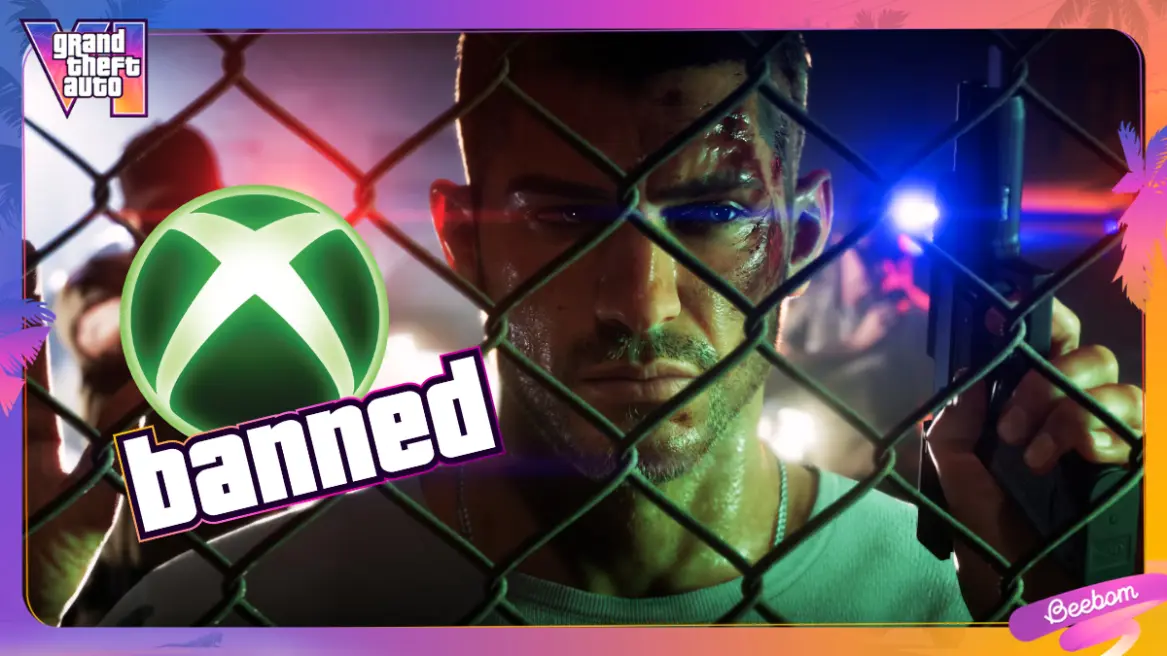
Some GTA 6 players are reporting temporary Xbox account suspensions after their gameplay clips were automatically uploaded to the Xbox network, raising concerns about Microsoft‘s content moderation system. One player claims they received a two-day suspension for a short recording showing non-player characters wearing swimsuits and bikinis on a Vice City beach, without any explicit nudity. Although the exact reason for the enforcement action remains unclear, the reports have prompted players to reconsider their console’s automatic capture-sharing settings. Fortunately, Xbox Series X|S owners can disable automatic uploads while continuing to record and save their GTA 6 gameplay locally.
Xbox Players Report Suspensions Over Automatically Uploaded GTA 6 Clips
The controversy emerged after a Reddit user identified as sangobar reported receiving a two-day Xbox account suspension following the automatic upload of a GTA 6 gameplay recording.
According to the player’s account, the recording was approximately 28 seconds long and captured gameplay from GTA 6 on an Xbox Series X. The footage reportedly showed NPCs wearing swimsuits and bikinis on a beach in Vice City, without displaying explicit nudity.
The player claimed that the clip was flagged shortly after being automatically uploaded to the Xbox network. An enforcement email from Microsoft reportedly informed them that their account had violated the company’s family and online safety guidelines.
However, the notification allegedly did not explain precisely which part of the recording triggered the enforcement action. The player also claimed that the temporary suspension could not be appealed.
The report has attracted attention because the footage described does not appear to contain the kind of explicit sexual material that players might reasonably expect to trigger restrictions on shared gameplay recordings.
Other Xbox users have also reportedly described receiving temporary suspensions while playing GTA 6. However, the available reports do not establish how widespread the issue is or whether all the cases involve the same type of content.
Why GTA 6 Gameplay Clips Could Trigger Xbox Moderation
GTA 6 is an adults-only open-world game featuring mature themes, violence, sexual content and locations designed for adult audiences. Vice City includes environments such as strip clubs and nudist locations, meaning players can encounter content that may fall under platform restrictions when shared online.
Microsoft maintains content and conduct rules governing material shared through its gaming services. These rules are separate from the age rating of an individual game. In other words, being allowed to play an adult-rated title does not automatically mean every screenshot or gameplay recording from that game is permitted on a platform’s sharing network.
Gameplay captures containing explicit sexual content may therefore create moderation concerns even when the original game is officially available on Xbox consoles.
However, the reported beach clip presents a different situation. NPCs wearing ordinary swimsuits or bikinis are not necessarily equivalent to explicit sexual content. This is why the reported suspension has raised questions among players about how the footage was assessed.
Could Xbox’s Automated Moderation System Have Made a Mistake?
Some players suspect that an automated moderation system may have incorrectly flagged the reported GTA 6 recording. Automated content detection can help platforms review large volumes of uploaded material, but it may not always interpret context accurately.
For example, a system analysing individual frames might identify exposed skin or swimwear without fully understanding the surrounding scene. A beach environment featuring NPCs in swimsuits could potentially be treated differently from ordinary gameplay footage if the moderation process relies heavily on visual signals.
However, this remains a possible explanation rather than a confirmed cause. Neither the player’s account nor the available reports establish which specific moderation mechanism was responsible for the suspension.
There are also unanswered questions about whether the enforcement action resulted from automated detection, a user report or another review process. Microsoft has not provided a detailed explanation of the reported case in the supplied information.
Until more information becomes available, it would be premature to conclude that Xbox is systematically banning players for ordinary GTA 6 beach footage.
Why Automatic Uploads Could Create Problems for GTA 6 Players
The main concern for players is that automatic uploads can share screenshots and gameplay recordings without requiring them to review every capture individually.
Xbox consoles allow users to capture gameplay moments and configure how those recordings are stored or shared. Depending on the selected settings, captures may be uploaded automatically to the Xbox network or connected storage services.
This feature is convenient for players who regularly share achievements, memorable moments and impressive gameplay clips. However, it also means that users may not always inspect a recording before it reaches an online service.
In a game such as GTA 6, where players can encounter mature environments and unpredictable NPC interactions, an automatically uploaded recording could potentially contain material that the user did not intend to share.
Even a short clip may capture several different scenes, and players might not notice every detail before the console uploads it.
Disabling automatic uploads gives users greater control over what leaves their console. Instead of sharing every capture automatically, they can review their recordings and decide which ones they want to upload manually.
How to Turn Off Automatic Uploads on Xbox Series X|S
Xbox Series X and Series S owners can disable automatic uploads through the console’s Capture & Share settings. The process is straightforward and does not require uninstalling GTA 6 or changing the game’s settings.
Follow these steps to stop gameplay captures from automatically uploading to online services:
Method 1: Use the Xbox Capture Settings
- Press the Xbox button on your controller to open the guide.
- Navigate to the Captures tab, located among the guide options.
- Scroll down and open Capture settings.
- Find the Automatic uploads section.
- Change the To the Xbox network setting to Don’t upload.
- Change the To OneDrive setting to Don’t upload as well, if you want to prevent automatic uploads to that service.
Once these settings have been changed, your console should no longer automatically upload new captures to the selected online destinations.
Method 2: Use the Main Xbox Settings Menu
You can also access the same options through the console’s main settings interface:
- Press the Xbox button on your controller.
- Open Settings.
- Select Preferences.
- Choose Capture & Share.
- Open Automatic uploads.
- Set the Xbox network and OneDrive upload options to Don’t upload, depending on your preferences.
The two methods provide access to the automatic upload controls, although the exact menu layout may vary slightly depending on the console’s software version.
What Happens After You Disable Automatic Uploads?
Turning off automatic uploads does not disable the Xbox capture feature. Players can still record GTA 6 gameplay, take screenshots and save interesting moments while exploring Vice City.
The main difference is that captures will no longer be automatically shared with the selected online services. Instead, players can keep their recordings locally on the console and choose which ones they want to upload manually.
This gives players an opportunity to review footage before sharing it. They can check whether a recording contains mature scenes, personal information or other material they would rather keep private.
| Xbox Capture Feature | After Disabling Automatic Uploads |
|---|---|
| Record GTA 6 gameplay | Still available |
| Take screenshots | Still available |
| Save captures locally | Still available |
| Automatically upload to Xbox network | Disabled when set to Don’t upload |
| Automatically upload to OneDrive | Disabled when set to Don’t upload |
| Manually upload selected captures | Still available where supported |
Players who regularly share gaming clips can therefore continue using the capture system without automatically sending every recording online.
Does Turning Off Auto Uploads Guarantee You Won’t Get an Xbox Ban?
Disabling automatic uploads can reduce the risk of accidentally sharing gameplay footage that may trigger content moderation. However, it should not be considered a guarantee against account suspensions.
Players can still manually upload recordings that violate Xbox’s content rules. Other activities, including messages, profile content and behaviour on Xbox services, may also fall under Microsoft’s enforcement policies.
The setting simply gives users more control over which captures are shared. It does not change the platform’s content guidelines or exempt manually uploaded material from moderation.
For GTA 6 players concerned about the reported suspensions, the safest approach is to review captures before uploading them and avoid sharing recordings containing explicit sexual content.
Why the Reported GTA 6 Suspension Has Sparked Debate
The reports highlight a broader challenge for gaming platforms that combine user-generated content with automated moderation. Games such as GTA 6 allow players to explore large environments where unexpected scenes can appear during ordinary gameplay.
When a console automatically uploads recordings, the player may not have an opportunity to inspect the footage before it reaches the platform. This creates a potential gap between what a user intended to share and what the moderation system actually receives.
It also raises questions about transparency. When an account is suspended, players need enough information to understand which rule was allegedly violated and whether they have a way to challenge an incorrect decision.
In the reported case, the player claimed that the enforcement email did not identify the specific content responsible for the suspension. Without a clear explanation, it becomes difficult to determine whether the footage genuinely violated the rules or was incorrectly flagged.
Microsoft’s enforcement process and the precise circumstances surrounding the reported suspension would need further clarification before broader conclusions can be drawn.
What GTA 6 Players Should Do Before Sharing Gameplay Clips
Until the situation becomes clearer, Xbox players can take a few simple precautions to avoid unintentionally sharing sensitive or mature gameplay footage.
- Disable automatic uploads: Review the Capture & Share settings and turn off automatic uploads to online services if you prefer to inspect recordings first.
- Review every recording: Watch clips before manually uploading them to the Xbox network.
- Avoid explicit footage: Do not share recordings containing explicit sexual material or other content that may violate platform rules.
- Read enforcement notifications: If you receive a warning or suspension, carefully review the information provided by Microsoft.
- Check available appeal options: Use the official enforcement process where an appeal or case review is available.
- Keep local captures: Save important gameplay recordings on your console or another appropriate storage location.
These precautions can help players maintain control over their shared content without sacrificing the ability to record memorable GTA 6 moments.
Xbox Auto Upload Suspensions: What We Know So Far
The reported two-day suspensions have raised concerns among GTA 6 players, particularly because at least one user claims their recording contained only NPCs wearing swimsuits on a Vice City beach.
However, the available information does not establish that Xbox is broadly banning players for ordinary beach footage. The exact reason for the reported enforcement action remains unclear, and there is no confirmed explanation showing that an automated moderation error caused it.
For now, disabling automatic uploads is a practical precaution for Xbox Series X|S owners who want to review their gameplay captures before sharing them online. Players can still record screenshots and videos locally, then manually select the clips they want to upload.
Until Microsoft provides more clarity about the reported cases, taking control of capture-sharing settings may help prevent unwanted uploads. After all, players should be able to enjoy exploring Vice City without worrying that an automatically shared clip could create an unexpected account enforcement issue.
For breaking news and live news updates, like us on Facebook or follow us on Twitter and Instagram. Read more on Latest Technology on thefoxdaily.com.






COMMENTS 0