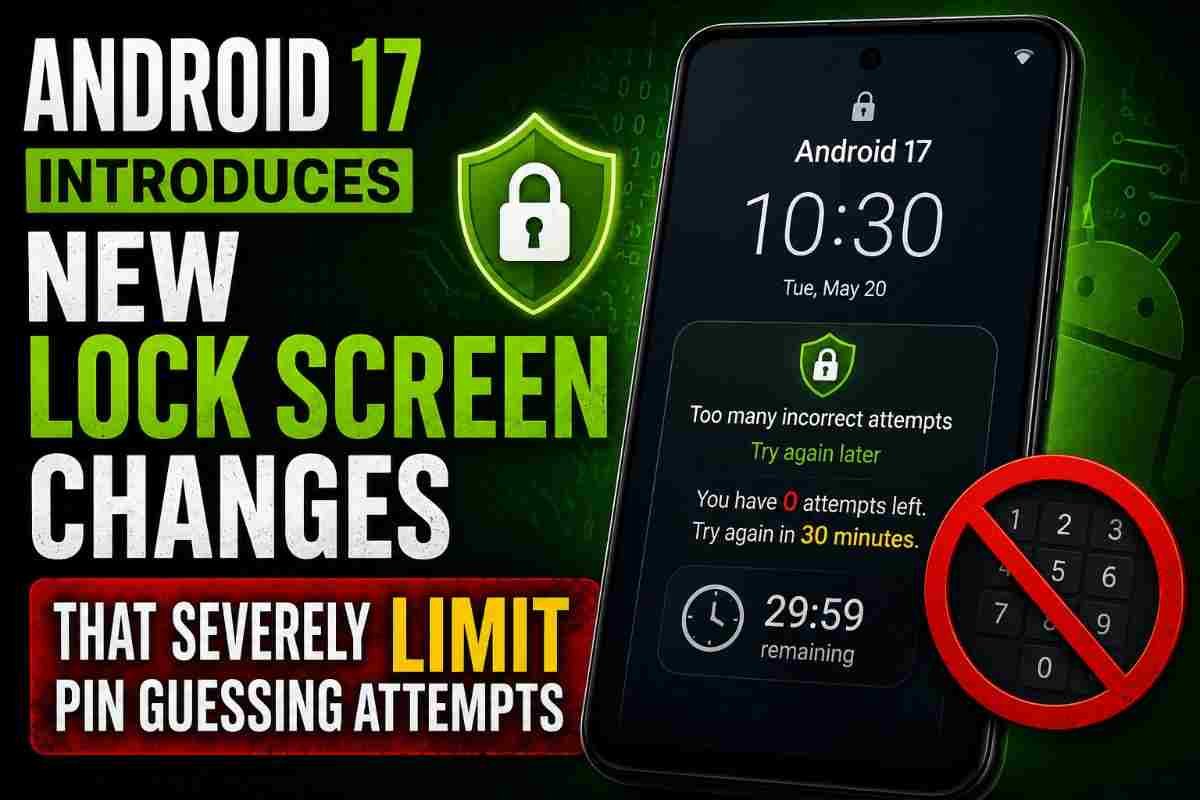
Google has unveiled one of the most significant upgrades to Android’s lock screen security in years with Android 17. The latest version of the operating system introduces a comprehensive set of protections aimed at reducing the success rate of PIN and password guessing attacks, one of the oldest techniques used to gain unauthorized access to smartphones.
Rather than relying solely on stronger encryption, Android 17 changes how the operating system handles repeated incorrect unlock attempts. By drastically reducing the number of guesses permitted over time, identifying duplicate incorrect entries, simplifying lockout notifications, and adding direct access to account recovery resources, Google is improving both security and usability.
The new protections build upon security enhancements introduced in Android 16 Quarterly Platform Release 2 (QPR2) and represent Google’s continued effort to safeguard sensitive user data as smartphones increasingly become digital wallets, identity documents, authentication devices, and productivity hubs.
Why Lock Screen Security Matters More Than Ever
Modern smartphones store an extraordinary amount of personal and financial information. Beyond photos and messages, today’s Android devices often contain:
- Banking applications.
- Digital payment wallets.
- Government identity documents.
- Medical information.
- Business emails.
- Cloud storage credentials.
- Authentication apps for two-factor security.
- Passwords saved through password managers.
If an attacker gains physical access to a device, the lock screen becomes the primary barrier protecting this information. Strengthening that barrier significantly reduces the chances of unauthorized access, even if the device falls into the wrong hands.
What Is New in Android 17 Lock Screen Security?
Android 17 introduces several major improvements that work together to make brute-force attacks substantially more difficult while improving the experience for legitimate users.
The key enhancements include:
- Much stricter limits on failed PIN and password attempts.
- A lifetime cap on incorrect unlock attempts.
- Duplicate incorrect PIN detection.
- Simplified lockout messages.
- A dedicated account recovery shortcut.
Together, these changes represent one of Android’s most comprehensive lock screen security updates in recent years.
Android 17 Greatly Reduces Allowed PIN Guessing Attempts
The most significant change is the reduction in the number of incorrect PIN or password attempts permitted before progressively longer lockout periods begin.
Google has redesigned the entire lockout Policy to drastically limit repeated guessing.
| Time Window | Android 17 | Earlier Android Versions |
|---|---|---|
| First Minute | 6 attempts | 10 attempts |
| First 6 Minutes | 7 attempts | 20 attempts |
| First 25 Minutes | 8 attempts | 50 attempts |
| First 24 Hours | 12 attempts | 110 attempts |
| Five Years | 19 attempts | 1,800 attempts |
The difference is dramatic. Instead of allowing hundreds or even thousands of guesses over time, Android 17 effectively limits attackers to fewer than twenty unsuccessful attempts across an extremely long period.
Hard Limit of 20 Incorrect Unlock Attempts
Android 17 introduces another major safeguard by refusing additional unlock attempts after 20 failed PIN or password entries.
This hard cap significantly limits brute-force attacks that rely on repeatedly testing common PIN combinations such as:
- 1234
- 0000
- 1111
- 2580
- Birth years
- Simple numerical patterns
By preventing unlimited retries, Google greatly reduces the effectiveness of automated and manual guessing attempts.
What Is a Brute-Force Attack?
A brute-force attack is one of the simplest methods criminals use to gain unauthorized access to digital devices.
Instead of exploiting software vulnerabilities, attackers repeatedly try different passwords or PIN combinations until the correct one is found.
Short numeric PINs are especially vulnerable because they have a limited number of possible combinations. Without strict attempt limits, determined attackers could eventually guess weaker PINs.
Android 17 addresses this risk by making repeated guessing practically impossible.
Duplicate Incorrect PIN Detection Prevents Accidental Penalties
One of the most user-friendly additions in Android 17 is duplicate guess detection.
Many users accidentally enter the same incorrect PIN multiple times, especially under stress.
Previously, every incorrect attempt counted separately.
Android 17 changes this behavior.
If the same incorrect PIN or password is entered repeatedly, the operating system recognizes the duplicate mistake and does not count it as another failed attempt.
Instead, Android displays an explanation indicating why the repeated entry was ignored.
This reduces the likelihood of legitimate users locking themselves out simply because they repeatedly typed the same incorrect code.
Simpler Lockout Messages Improve User Experience
Google has also redesigned how lockout timers are displayed.
Earlier Android versions often showed countdowns in seconds.
For example:
- Try again in 1,800 seconds.
Android 17 replaces these with more intuitive messages such as:
- Try again in 30 minutes.
- Try again in one hour.
- Try again tomorrow.
Although this may seem like a small improvement, clearer messaging helps reduce confusion during lockouts.
New Account Recovery Shortcut Makes Recovery Easier
Android 17 introduces a dedicated recovery shortcut directly on the lock screen.
If users are unable to unlock their device, they can quickly access recovery resources from another trusted device.
This simplifies the recovery process by directing users toward Google’s official account recovery tools rather than forcing them to search for assistance manually.
The feature aims to improve usability without compromising device security.
Building on Android 16 Security Improvements
These new protections are not appearing in isolation.
Google first announced the enhanced lock screen security initiative during The Android Show: I/O Edition and began laying the groundwork through Android 16 QPR2.
Android 17 expands those protections by:
- Introducing stricter unlock policies.
- Improving lockout management.
- Enhancing recovery options.
- Providing smarter handling of failed attempts.
This gradual rollout allows manufacturers to integrate the security framework more effectively into future devices.
Why Google Is Tightening PIN Security
Several trends have made stronger device security increasingly important.
- More financial services are accessed via smartphones.
- Digital identity documents are becoming common.
- Password managers store hundreds of credentials.
- Mobile payments continue to grow.
- Enterprise work increasingly depends on smartphones.
Because smartphones now function as digital identity hubs, preventing unauthorized physical access has become a top priority.
How These Changes Benefit Everyday Users
Although the new policies appear stricter, most users are unlikely to notice any difference during normal daily use.
The protections mainly affect situations involving repeated incorrect unlock attempts.
Legitimate users benefit through:
- Greater protection if a phone is lost or stolen.
- Lower risk of brute-force attacks.
- Duplicate mistake detection.
- Simpler recovery process.
- Clearer lockout information.
For anyone WHO remembers their PIN correctly, the changes operate entirely in the background.
Best Practices for Android Device Security
While Android 17 strengthens system-level protection, users should also adopt good security habits.
- Choose a strong six-digit or longer PIN.
- Avoid birthdays or predictable number patterns.
- Enable biometric authentication where available.
- Keep Android updated with the latest security patches.
- Enable device-finding and remote lock features.
- Use two-factor authentication for your Google account.
- Regularly back up important data.
Combining strong personal security practices with Android 17’s built-in protections creates a significantly more secure mobile experience.
Android 17 Lock Screen Features at a Glance
| Feature | Benefit |
|---|---|
| Reduced failed PIN limits | Minimizes brute-force attacks |
| 20-attempt maximum | Blocks repeated guessing |
| Duplicate incorrect PIN detection | Prevents accidental penalties |
| Simplified lockout messages | Improves readability |
| Account recovery shortcut | Speeds legitimate recovery |
| Progressive lockout periods | Further discourages repeated attempts |
Android 17 represents a significant evolution in smartphone security by making physical device access far more resistant to brute-force attacks without creating unnecessary inconvenience for everyday users. By combining stricter unlock limits, intelligent duplicate detection, improved recovery tools, and clearer user guidance, Google has strengthened one of the most critical layers of mobile security.
Future Outlook
The lock screen improvements introduced in Android 17 reflect a broader industry trend toward strengthening on-device security as smartphones continue to store increasingly sensitive personal, financial, and professional information. Future Android releases are expected to build further on this foundation by integrating more intelligent threat detection, enhanced biometric authentication, stronger hardware-backed security, and AI-assisted fraud prevention while maintaining a balance between security and user convenience.
As Android device manufacturers adopt these new protections across supported smartphones and tablets, users can expect a more resilient security framework that significantly reduces the effectiveness of unauthorized access attempts. Combined with regular security updates and responsible user practices, Android 17’s enhanced lock screen protections represent an important step in safeguarding digital identities in an increasingly connected world.
For breaking news and live news updates, like us on Facebook or follow us on Twitter and Instagram. Read more on Latest Technology on thefoxdaily.com.




COMMENTS 0