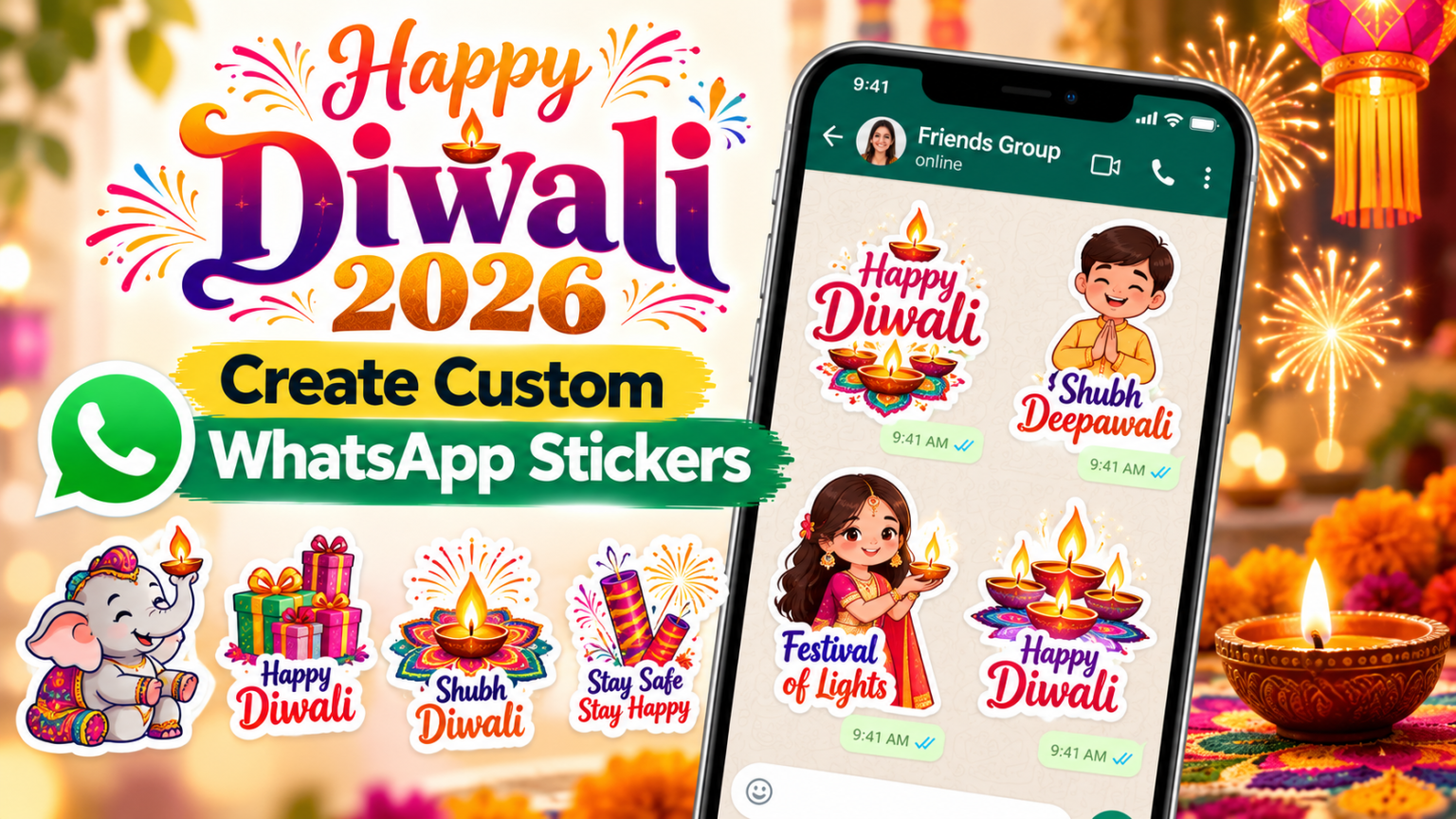
Diwali is a time for exchanging greetings, sharing happiness and celebrating with family and friends. As people prepare for Diwali 2026, WhatsApp remains one of the easiest ways to send festive wishes to loved ones, whether they live nearby or in another city or country.
Along with text messages, photographs and videos, WhatsApp stickers offer a colourful way to express festive greetings. Users can share designs featuring diyas, rangoli, Lakshmi-Ganesh illustrations, flowers, lanterns and traditional Diwali messages without having to type a greeting every time.
WhatsApp provides a built-in sticker section where users can browse and download available sticker packs. Android users can also explore compatible third-party sticker applications, while supported versions of WhatsApp offer tools to create personalised stickers from images stored on a smartphone.
If you want to send Happy Diwali 2026 wishes to your contacts, here is how to download, create, save and share Diwali stickers on WhatsApp.
How to Download Diwali Stickers on WhatsApp
WhatsApp allows users to access sticker packs through its built-in sticker store. You can check the available collections and download packs directly from a conversation without leaving the app.
The exact availability of Diwali-themed collections may vary depending on the app version and the sticker packs currently offered. Follow these steps to check for festive stickers:
- Open WhatsApp on your Android smartphone or iPhone.
- Open an individual chat or group conversation.
- Tap the emoji icon next to the message box.
- Select the sticker icon to open the sticker section.
- Tap the ‘+’ icon to browse available sticker packs.
- Look for Diwali-themed or other festive sticker collections, if available.
- Tap the download icon next to the sticker pack you want to add.
- Once downloaded, return to the sticker section to access the new designs.
After downloading a pack, its stickers should appear in your sticker collection. You can use them in different individual and group conversations without downloading the same pack again.
If you cannot find a dedicated Diwali collection, you can explore other festive designs or use a compatible sticker application to find additional options.
How to Send Happy Diwali Stickers on WhatsApp
Once you have downloaded a Diwali sticker pack, sharing a festive greeting is straightforward. You can send individual stickers to family members, friends, colleagues or WhatsApp groups.
Follow these steps to send a Happy Diwali sticker:
- Open WhatsApp and select the individual or group conversation where you want to send your greeting.
- Tap the emoji icon beside the message box.
- Select the sticker section.
- Browse through your downloaded sticker packs.
- Choose the Happy Diwali sticker you want to share.
- Tap the selected sticker to send it.
The sticker will appear directly in the conversation. You can send additional designs from the same collection or combine a sticker with a personal message to make your greeting more meaningful.
For example, you can share a traditional diya sticker along with a message wishing your contacts happiness, prosperity and good health. This can make your festive wishes feel more personal than forwarding a generic greeting.
How to Download Diwali Stickers Using Third-Party Apps
If WhatsApp’s built-in sticker collection does not have the designs you want, Android users can explore third-party sticker applications available through the Google Play Store.
These applications may offer different collections of Diwali-themed stickers, including traditional greetings, colourful illustrations, animated designs and festival-related messages. Some apps also provide options to add compatible sticker packs directly to WhatsApp.
Here is how to find and add Diwali stickers using a third-party application:
- Open the Google Play Store on your Android smartphone.
- Search for “Diwali WhatsApp stickers”.
- Browse the available applications and check their ratings, reviews and developer information.
- Choose an application that offers the sticker collection you want.
- Download and install the application.
- Open the app and browse its available Diwali sticker packs.
- Select a sticker collection and tap the option to add it to WhatsApp, if supported.
- Open WhatsApp and check the sticker section for the newly added collection.
Before installing a third-party sticker application, check its permissions and privacy information. Avoid apps that request unnecessary access to personal information, contacts or other phone features that are unrelated to sticker functionality.
It is also worth checking recent reviews and the developer’s details before downloading an application. Some sticker apps may contain advertisements, offer in-app purchases or stop supporting certain features after updates.
iPhone users should check the sticker features available directly in WhatsApp and explore compatible options through Apple’s App Store where supported. Not every Android sticker application is available on iOS.
How to Create Custom Diwali Stickers on WhatsApp
Instead of using ready-made designs, you can create personalised Diwali stickers from images stored on your smartphone. This is useful if you want to send a unique greeting featuring your own festive decorations, family photographs or customised Diwali artwork.
WhatsApp’s sticker creation feature may be available depending on the device and app version. If the Create Sticker option appears in your sticker section, you can use it to turn a suitable image into a sticker.
Follow these steps:
- Open WhatsApp and select an individual or group chat.
- Tap the sticker icon next to the message box.
- Select the Create Sticker option, if available.
- Choose an image from your phone’s gallery.
- Use the available editing tools to customise the image.
- Add text or other elements, if supported.
- Review the design and tap the send icon to share it.
You can use images featuring traditional diyas, rangoli patterns, flowers, decorative lights, sweets or other Diwali decorations. A photograph of a handmade rangoli or a festive decoration at home can also become a personalised greeting.
When creating a sticker, choose a clear image with a subject that is easy to recognise. Adding a short greeting such as “Happy Diwali 2026” can make the design more suitable for sharing with friends and family.
If the Create Sticker option is not available on your device, check whether WhatsApp has an update available. You can also explore compatible sticker-making applications, while reviewing their permissions before installation.
How to Save Diwali Stickers Received on WhatsApp
Sometimes a friend or family member may send a Diwali sticker that you want to use again. Instead of searching for the same design or downloading an entire sticker collection, WhatsApp allows you to add supported received stickers to your favourites.
Saving a sticker makes it easier to find and reuse in other conversations.
Here is how to save a Diwali sticker:
- Open the WhatsApp conversation containing the sticker you want to save.
- Tap the sticker.
- Select the option to add it to favourites, if displayed.
- Open the sticker section in any WhatsApp conversation.
- Navigate to the favourites tab to find your saved sticker.
Your selected sticker will be available in the favourites section for future use. You can send it to other contacts or groups without searching through the original conversation again.
This feature is particularly useful during festivals when you may receive several greeting stickers from different people and want to keep your favourite designs in one place.
Best Ways to Share Diwali Wishes on WhatsApp
WhatsApp stickers can make festive greetings more expressive, but combining them with a short personal message can make them even more meaningful. Rather than sending the same design to everyone, consider choosing greetings that suit the person or group receiving them.
- For family members: Share traditional diya, Lakshmi-Ganesh or rangoli stickers with warm wishes for happiness and prosperity.
- For friends: Choose colourful, cheerful or humorous festive designs that match your friendship.
- For colleagues: Send simple and elegant Diwali greetings that are suitable for professional conversations.
- For family groups: Share festive stickers featuring decorative lights, sweets and traditional celebrations.
- For long-distance contacts: Combine a personalised message with a Diwali sticker to make the greeting feel more thoughtful.
You can also create a customised sticker using a family photograph or a festive decoration. However, always consider the privacy of people whose photographs you use, particularly before sharing images in large groups.
Tips for Using WhatsApp Diwali Stickers Safely
Third-party sticker applications can offer a wider selection of festive designs, but users should take a few precautions before installing them.
- Check app permissions: A basic sticker application should not need unnecessary access to sensitive information on your phone.
- Review developer details: Check the developer’s name, app description and recent user reviews before downloading.
- Avoid suspicious links: Do not install applications through unfamiliar links shared in messages or social media posts.
- Keep WhatsApp updated: Install official updates to access supported features and security improvements.
- Respect image privacy: Avoid turning someone else’s private photograph into a sticker without permission.
- Check animated sticker compatibility: Some third-party collections may not work across all devices or WhatsApp versions.
Using trusted sources and checking permissions can help reduce the risk of installing unwanted applications while looking for festive stickers.
Happy Diwali 2026: Share Festive Wishes With Friends and Family
WhatsApp stickers provide a simple way to make Diwali greetings more colourful and expressive. Whether you download a ready-made collection, create your own design or save stickers received from friends, the feature makes it easier to share festive wishes through individual chats and groups.
For Diwali 2026, users can explore traditional designs featuring diyas, rangoli, flowers and festive decorations to send greetings to people they care about. Android users can also find additional collections through compatible third-party applications, while supported WhatsApp versions offer tools for creating personalised stickers.
Before downloading any external application, check its developer information, reviews and permissions. Once your favourite stickers are ready, open a WhatsApp conversation, select a design and send your festive wishes.
A simple Happy Diwali sticker accompanied by a thoughtful message can help bring friends and family closer, even when they are celebrating from different places.
For breaking news and live news updates, like us on Facebook or follow us on Twitter and Instagram. Read more on Latest Technology on thefoxdaily.com.






COMMENTS 0